
Virtual Account Reports
Monitor and reconcile Virtual Account (VA) bank transfer payments with automatic matching.
Virtual Account (VA) is a payment method where customers pay by transferring to a unique account number generated for each transaction. This report shows all VA transactions for monitoring and reconciliation.
How Virtual Account Works
- Customer initiates payment on your platform
- A unique VA number is generated for that transaction
- Customer transfers money to the VA from their bank
- Payment is automatically matched and confirmed
- You receive the funds (less fees) in your Doitpay account
Benefits: No manual verification needed. Payments are automatically matched to orders.
Accessing Virtual Account Reports
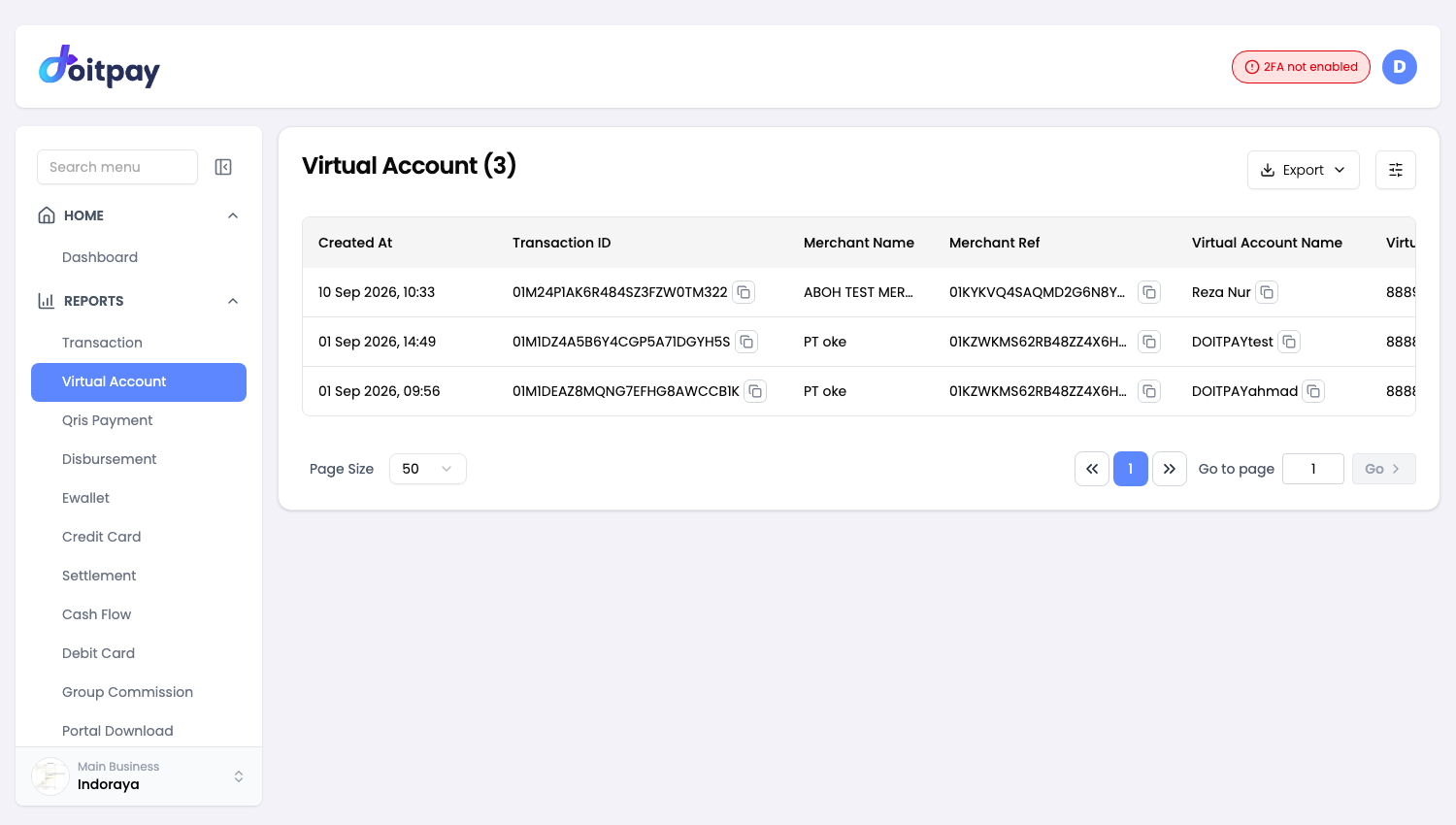
Navigate to REPORTS > Virtual Account from the sidebar.
The page title shows the total number of records (e.g., "Virtual Account(168)").
Understanding the Table
| Column | What it shows |
|---|---|
| Merchant Ref | Your internal order/invoice reference |
| Virtual Account Number | The VA number customer paid to (e.g., 888999...) |
| Net Amount | Amount you receive after fees |
| Amount Charged | Amount customer paid |
| Fee | Transaction processing fee (e.g., Rp 10,000) |
| Status | Current payment state |
| Partner Reference ID | Reference for cross-checking |
Transaction Status
| Status | Meaning | Customer action |
|---|---|---|
| Paid | Payment received and confirmed | None needed |
| Pending | Waiting for payment | Customer should transfer |
| Expired | VA expired without payment | Customer needs new VA |
| Failed | Transaction could not complete | Check error, may need retry |
Exporting Data
Click Export in the toolbar and choose a format.
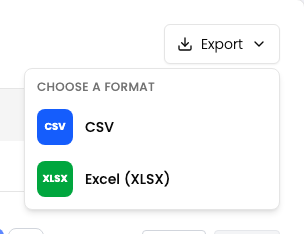
| Format | Best for |
|---|---|
| CSV | Plain data, importing into another tool, very large date ranges |
| Excel (XLSX) | Opening straight in Excel or Google Sheets with formatting preserved |
Use this to export your Virtual Account transactions.
The export matches the filters you have applied on the page, so set your date range and any other filters first.
The file is prepared in the background instead of downloading straight away. After you choose a format, the dashboard opens Portal Download where the job appears. When its status shows COMPLETED, click Download on that row.
Filters travel with the export
The file matches what the table shows. If the table is filtered to one status or channel, the file contains only those rows. Clear your filters first if you want everything.
Common Questions
Q: How long is a VA number valid?
VA expiration depends on your configuration, typically 24 hours to 7 days. Check with your account manager for your specific settings.
Q: A customer says they paid but status is still Pending. What should I do?
- Ask customer for their transfer receipt
- Verify they used the correct VA number
- Verify the exact amount was transferred
- Allow time for bank processing (especially for inter-bank transfers)
- Contact support with the Merchant Ref if still unresolved
Q: Can a customer pay a partial amount?
VA typically requires exact amount matching. Partial payments may not be recognized automatically.
Q: What banks can customers use?
Customers can transfer from any bank in Indonesia to the VA number. Inter-bank transfers are supported.