
QRIS Payment Reports
Track QR code payments made through Indonesia's standardized QRIS system supporting all major e-wallets and mobile banking apps.
QRIS (Quick Response Code Indonesian Standard) is Indonesia's standardized QR code payment system. Customers scan a QR code and pay using any supported e-wallet or mobile banking app.
How QRIS Works
- Customer chooses to pay via QRIS
- A QR code is displayed for the transaction
- Customer scans with their preferred app (GoPay, OVO, DANA, mobile banking, etc.)
- Customer confirms and completes payment in their app
- Payment is confirmed and you receive the funds
Benefits: One QR code works with all major e-wallets and mobile banking apps.
Accessing QRIS Payment Reports
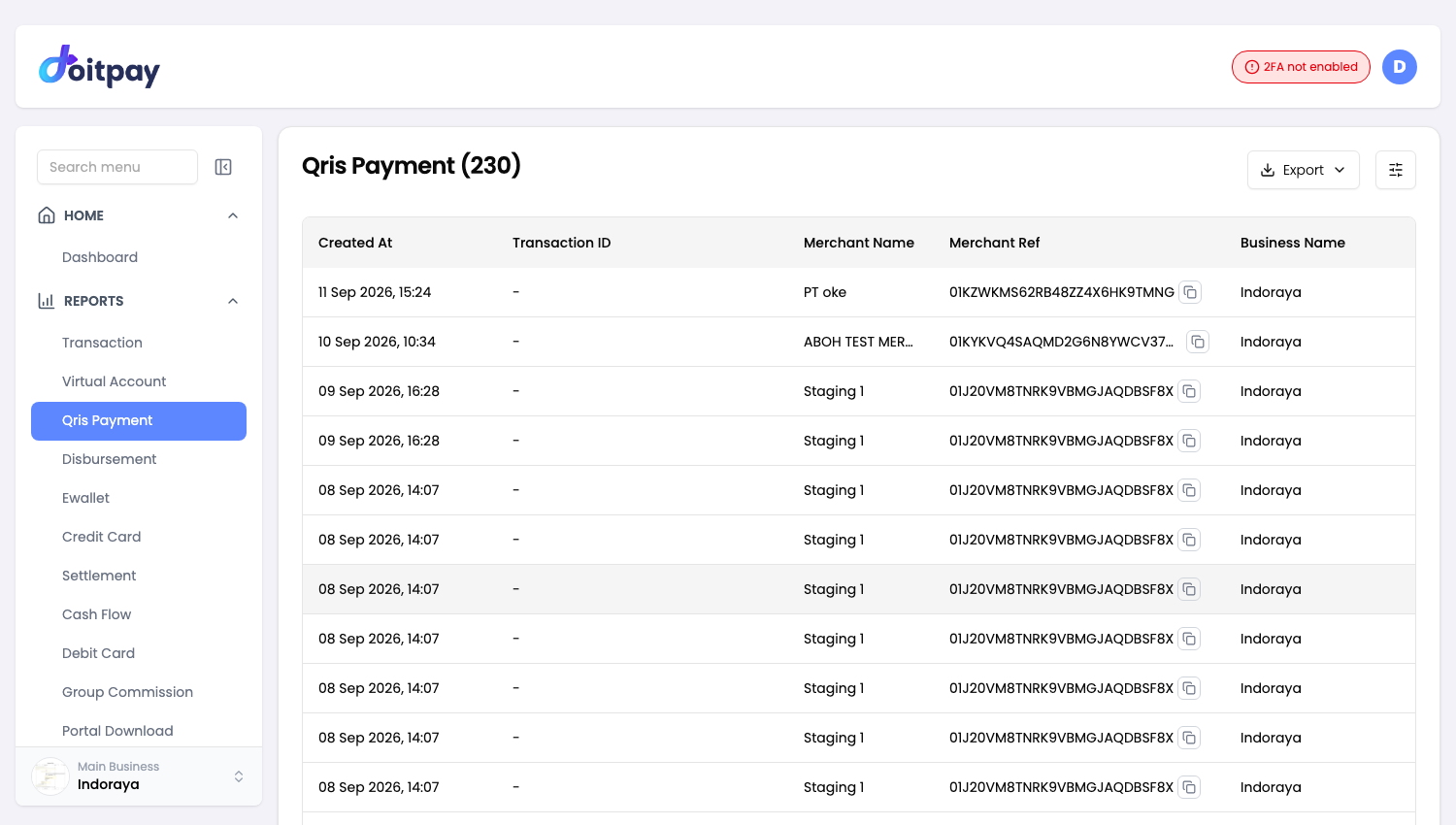
Navigate to REPORTS > Qris Payment from the sidebar.
The page title shows the total number of records (e.g., "Qris Payment(507228)").
Understanding the Table
| Column | What it shows |
|---|---|
| NMID | National Merchant ID for QRIS (e.g., ID20200814I2725) |
| Net Amount | Amount you receive after fees |
| Amount Charged | Amount customer paid |
| Fee | Transaction processing fee |
| Status | Current payment state |
| Reference ID | Doitpay's internal reference |
QRIS-Specific Fields
NMID (National Merchant ID): Your registered merchant identifier in the QRIS system. All your QRIS transactions will share the same NMID.
RRN (Retrieval Reference Number): Used for tracking transactions across the payment network. Useful when investigating payment issues with your bank or payment partner.
Transaction Status
| Status | Meaning | What to do |
|---|---|---|
| Success | Payment completed | Funds will be settled |
| Pending | Waiting for customer to scan and pay | QR code is still active |
| Expired | QR code expired | Customer needs new QR code |
| Failed | Payment could not complete | Check with customer |
Exporting Data
Click Export in the toolbar and choose a format.
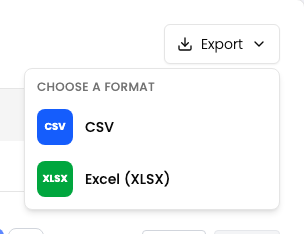
| Format | Best for |
|---|---|
| CSV | Plain data, importing into another tool, very large date ranges |
| Excel (XLSX) | Opening straight in Excel or Google Sheets with formatting preserved |
Use this to export your QRIS transactions.
The export matches the filters you have applied on the page, so set your date range and any other filters first.
The file is prepared in the background instead of downloading straight away. After you choose a format, the dashboard opens Portal Download where the job appears. When its status shows COMPLETED, click Download on that row.
Filters travel with the export
The file matches what the table shows. If the table is filtered to one status or channel, the file contains only those rows. Clear your filters first if you want everything.
Common Questions
Q: How long is a QRIS code valid?
QRIS codes typically expire within a few minutes to prevent misuse. The exact time depends on your configuration.
Q: Which apps can customers use to pay?
Any QRIS-compatible app, including:
- GoPay
- OVO
- DANA
- ShopeePay
- LinkAja
- Mobile banking apps (BCA, Mandiri, BNI, BRI, etc.)
Q: Why did a QRIS payment fail?
Common reasons include:
- QR code expired before customer paid
- Insufficient balance in customer's wallet
- Customer cancelled the payment
- Network issues during payment
Q: How do I use the RRN to track a payment?
If a customer disputes a payment, provide the RRN to support. This number tracks the transaction across the entire payment network.