
E-Wallet Reports
Track digital wallet payments from OVO, GoPay, DANA, ShopeePay, LinkAja, and other e-wallet providers.
E-Wallet payments allow customers to pay using digital wallets like OVO, GoPay, DANA, ShopeePay, and LinkAja. This report shows all e-wallet transactions for tracking and reconciliation.
How E-Wallet Payments Work
- Customer selects e-wallet as their payment method
- They are redirected to their e-wallet app or enter their phone number
- Customer confirms payment in their app
- Payment is completed and funds are received
Benefits: Fast, convenient payments. Popular with mobile-first customers.
Accessing E-Wallet Reports
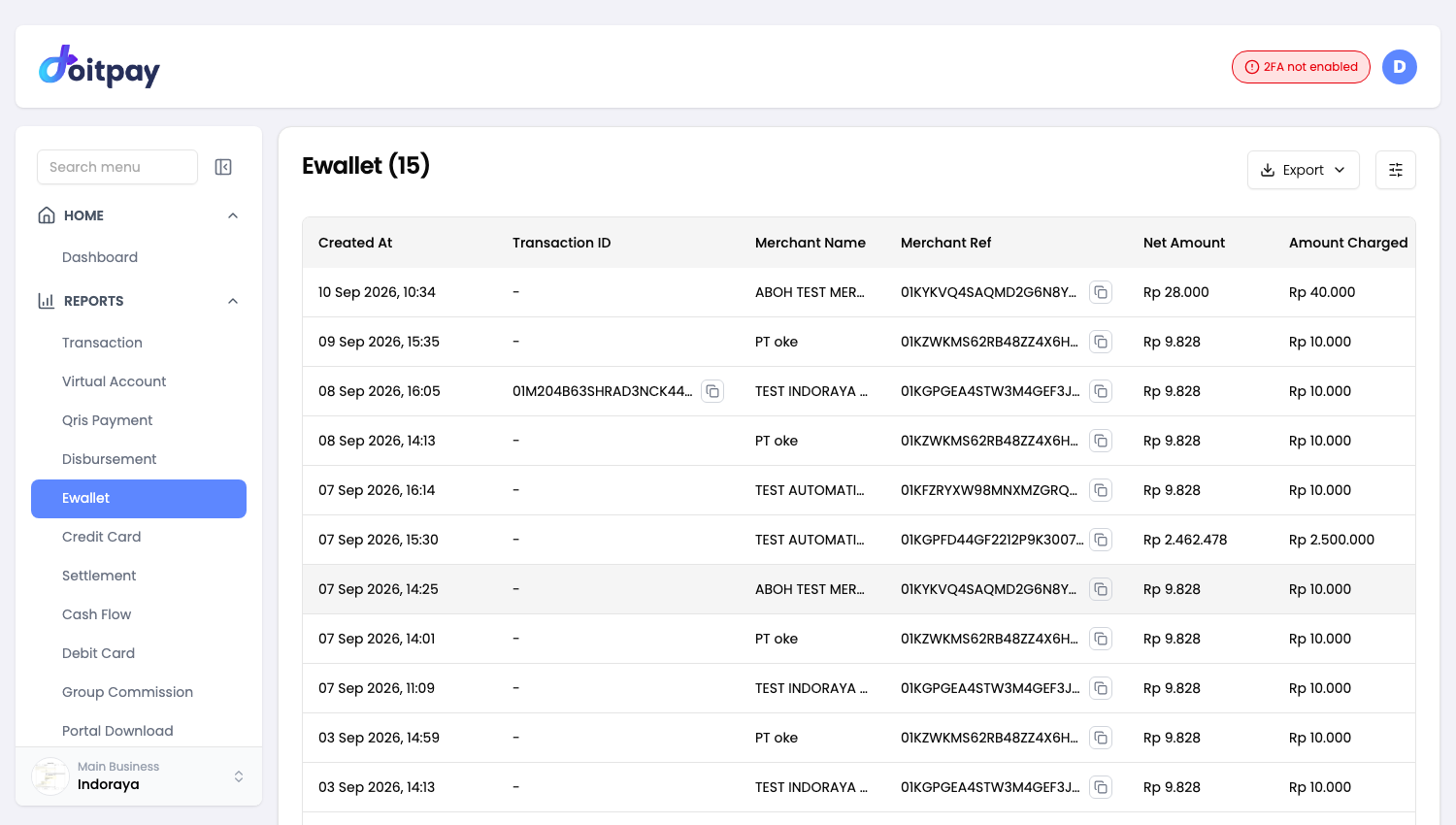
Navigate to REPORTS > Ewallet from the sidebar.
The page title shows the total number of records (e.g., "Ewallet (18)").
Understanding the Table
| Column | What it shows |
|---|---|
| Merchant Ref | Your internal order reference |
| Net Amount | Amount you receive after fees |
| Amount Charged | Amount customer paid |
| Fee | Transaction processing fee |
| Status | Current payment state |
| Partner Reference ID | E-wallet provider's reference |
Transaction Status
| Status | Meaning | What to do |
|---|---|---|
| Paid | Payment completed | Funds will be settled |
| Pending | Waiting for customer to complete | Customer should finish in their app |
| Expired | Payment window closed | Customer needs to retry |
| Failed | Payment could not complete | Check with customer |
| Cancelled | Customer cancelled payment | Customer can retry if needed |
Supported E-Wallet Providers
Doitpay supports major Indonesian e-wallets:
- OVO
- GoPay
- DANA
- ShopeePay
- LinkAja
The specific providers available depend on your account configuration.
Exporting Data
Click Export in the toolbar and choose a format.
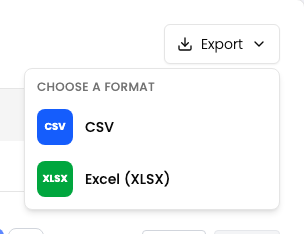
| Format | Best for |
|---|---|
| CSV | Plain data, importing into another tool, very large date ranges |
| Excel (XLSX) | Opening straight in Excel or Google Sheets with formatting preserved |
Use this to export your e-wallet transactions.
The export matches the filters you have applied on the page, so set your date range and any other filters first.
The file is prepared in the background instead of downloading straight away. After you choose a format, the dashboard opens Portal Download where the job appears. When its status shows COMPLETED, click Download on that row.
Filters travel with the export
The file matches what the table shows. If the table is filtered to one status or channel, the file contains only those rows. Clear your filters first if you want everything.
Common Questions
Q: How do I know which e-wallet the customer used?
The Partner Reference ID format often indicates the provider. For detailed provider information, check the transaction details or export the report.
Q: Why is an e-wallet payment stuck on Pending?
The customer may have started but not completed the payment in their app. Common reasons:
- Customer closed the app before confirming
- Insufficient balance in customer's wallet
- Network issues during payment
Q: Can I refund an e-wallet payment?
Contact your account manager about refund processing.